
Google My Business SEO Strategies for Hotels
23 Jun, 2025
5 Mins Read

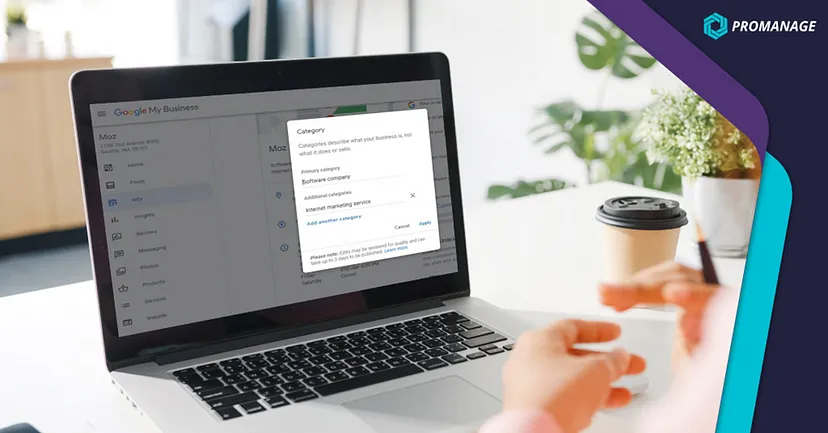
With over 3000 categories to choose from, how does one choose which Google My Business Profile category that best fits their business? Read on to find out.
Categories on the GMB profile can help make your profile visible to customers looking for your services. It also feeds the search engine the right information about your business, which can help you rank higher when customers search for your niche product or service.
To top it all off, choosing the right business categories also gives you exclusive features. For instance, as a restaurant, you may be able to receive reviews online. But place the wrong category, and your customers won’t be able to find you to leave a rave review behind.
So, with the impact and influence that this option carries, how do you make sure you select the right listing of your company on Google maps?
Here’s a guide to understanding how Google My Business categories work and how they help your business in hyperlocal searches.

A Google My Business category is visible on the dashboard and is essential for users and Google’s algorithm. It informs the search algorithm about your business category and your services. The algorithm then recommends these services to customers who search for the same.
As a business owner, you can set two types of categories for your business. A primary category influences hyperlocal ranking, and Google Map Business permits using only one primary category that best describes your business.
Secondary categories are additional; a business can select up to 9 categories in this section. Remember, choosing categories that weigh in and help your business rank higher is always better. Stuffing the secondary category with too many options can confuse the algorithm. The more specific your category is, the better.
There are over 3500 GMB categories, which fluctuate with every algorithm update. With so many options, the relevance and accuracy of categories are key factors to ranking better organically. The right category helps the search engine understand your business better, which translates to better local rankings and transparency in location-specific searches.
The process of adding categories is quite simple and accessible from the dashboard. It also allows you to change or edit categories but may require verification from your business to save the modification. In the Google My Business dashboard, one of the options on the left side of the screen is the ‘Info’ tab.

Clicking on it leads to a page with your business details. Your business categories can be found right under your business name. To edit, you can click the pencil icon beside it. This opens the category tools and shows a list of available categories for selection.
Here are some tips to optimise Google Business SEO:
There’s no single approach to choosing the best primary category. If your business offers a wide range of services, considering these questions may be helpful.
a. What is the primary service that your business provides?
b. Does your category align with what potential customers may search?
c. Are you a business with multiple locations across cities or the same town?
These questions can help funnel your options to a single primary category that best defines your business. Our advice is to have as minimal secondary categories as possible. Having more than 5 secondary categories may negatively affect your business’s ranking on search engines.
The first step is choosing the type of business you operate and the services you offer. When it comes to categories, the volume of search terms and user intent matters the most. Hence, it is best to pick keywords that are most likely to be used by your target audience.
To get started, list a few search terms describing your business. As a bakery specialising in wedding cakes, your target audience will likely search terms like ‘cake bakers’, ‘wedding cake decorators’, or ‘wedding cake bakers’. So, these terms will make it to the list. Anything unique about your business, such as ‘gluten-free cakes’ could work as one among the secondary categories.
Using a keyword research tool, track the results for each keyword or search term in your specific location. Note down the ones that have a high monthly search volume. In some cases, targeting keywords with low volume can do the work, as it may be the most relevant to your business. For instance, ‘cake bakers’ may have a high score, but ‘wedding cake bakers’ may be a category that may help your business stand out.
This part of your research works as a great tool to understand your competitors and the search terms they might be using. Making a list of your active competitors is the first step and maintain an excel sheet to note down 10 competitors with a higher ranking. Further, research your competitors’ primary and secondary categories using the right online tools.
Now, searching for the right tools for competitor research can be time-consuming. That’s where you should take the help of experts like ProManage. With our tool, you can do complete research about your competitors, from categories to search terms.
You can edit your business’s primary and secondary categories based on that research. This is as easy as choosing from the available categories on the dashboard. If you’re a business with multiple locations in the same city, your primary or secondary category keyword could include the location to boost reachability.
But any changes in the listing profile require a GMB verification process to re-verify the business ownership. The entire verification process can take up to two weeks as they send you a postcard to your physical business address. However, with a tool like ProManage for your Google business optimization can be a swift process. Being an official Google partner, it guarantees instantaneous changes. This helps your business track insights and check the performance of the updated categories faster.
Choosing the right category opens up the right features to help your business rank higher in hyperlocal searches. Creating a Google My Business Profile is swift, but optimization is just as crucial. Hence, a GMB category is a ‘not to miss out on’ feature, which plays the most prominent role in organic search visibility and gathering quality traffic.
The experts at ProManage can help your business navigate hyperlocal discovery using Google business optimization. Convert GMB optimizations into actionable insights today by requesting a demo or reaching out to vinub@promanage.biz
Have Questions or Suggestions?
info@promanage.bizNeed Assistance? Give Us a Call.
+91 93848 84382For partnership enquiry:
partners@promanage.biz Company Information