Google My Business SEO Strategies for Hotels
23 Jun, 2025
5 Mins Read


They say first impressions matter. When people search online for a general store or medical store ‘near me, they expect crystal clear information — the hours of operation, location, contact details, etc. Unfortunately, this is not always the case. Many businesses don’t keep their Google busienss listings up to date. It’s like having a business card without an active phone number!
For example, many local Kirana stores focused on home delivery services to make up for shorter working hours during the lockdown. Rather than relying on word-of-mouth or phone calls alone, a few update the mode of service on GMB to let customers know. This allowed them to boost sales and maintain better cash flow compared to those that didn’t.
While it is true that local shops rely on personal relationships to attract repeat sales, dissatisfied customers are more likely to leave negative reviews online today. If you fail to respond to them, you risk losing the reputation you may have built over decades.
No need to worry though! With a few simple GMB optimization hacks, you can greatly improve your visibility and customer experience within your local market. We’ll show you how:
So, let’s get started:
A typical shop puts a lot of effort into making sure that its display area is well-stocked and the signage is attractive. A GMB profile that is complete in all respects is just as important. Make sure that fields like address, phone number, hours of operation, and website are updated.
Don’t forget the Products and Services, Category and Attributes and the Questions and Answers sections either. They make it easy for customers to reach you and learn more about the products and services you offer.
There may be dozens of other businesses in the vicinity with names similar to yours. It can cause confusion in the minds of customers if you are not careful. It can also impact your Google ranking.
Make sure the business name and address on the GMB page is identical to that on your website, social media and indeed your physical premises. Secondly, make sure that the hours of operation are updated, especially around weekends, public holidays and even strikes.
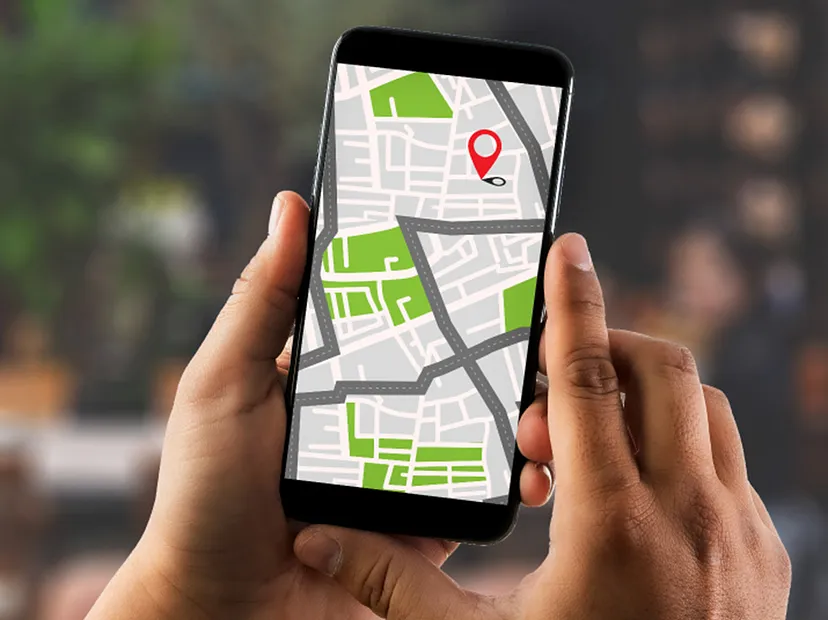
It is not uncommon for Google Maps to show the incorrect pin location, even if the address is verified. The problem is it can affect your local search ranking negatively. If you have confirmed the address is correct, edit and move the pin to the exact location manually. Once you save the new pin, Google business services will regularise it within a few days after checking for accuracy.
While Google does not allow you to update the description under your business name, you can certainly change the category. The more specific you are, the higher your rank in search results is likely to be. Choose a category that fits your business niche perfectly.
It is a fact: most visitors land up on your GMB page after searching for a product or service similar to yours. Make sure you add additional attributes like star ratings, menu specialities, etc. This will attract the ideal customers to your shop — yes, Google business optimisation can bring you more sales!
A positive online review is second only to a personal recommendation from a friend or family member in terms of building customer trust. Reviews are especially critical if you are just getting started in business or are new to the area. Google will automatically highlight the keywords in reviews to make them more relevant to consumers.
There is no harm in proactively asking for reviews and don’t forget to respond to them either. In fact, make it easy for customers to leave reviews by including shareable links on your website or social media that redirect customers to the GMB page.
A decent number of reviews and 4-star ratings can boost your search rankings to the top of the page. The result: higher footfall and increased revenues.
You may have noticed photos appearing routinely in search results off late. What this means is that images and logos are more important than ever for driving visibility and brand recognition. Updating new photos not only makes your GMB listing stand out but can also improve your ranking.
Pay special attention to the thumbnail and the cover photo. The photos you use here need to reflect your brand values. Quality matters too — make sure you use a professional photographer and not stock photographs which can create a poor impression.
Great images won’t increase engagement all by themselves. You need content that adds value to customers. For example, you can post content related to vaccination drives or free medical camps scheduled to be held in the neighborhood.
Your GMB page can also be a great place to share information about stock arrivals, seasonal offers or discounts with customers. You can even use Google posts to ensure that those updates appear prominently in search results or via maps.

Not many small businesses have a Q&A section on their websites to answer the FAQs. Google business services give you the perfect opportunity to address customer apprehensions about product quality, payment options, credit policy and returns.
These factors can play a critical role in whether or not customers buy from you. Collect the questions you usually get and answer them on your GMB page. Integrating the right keywords in this section can also help localised SEO.
By now, you will have added a lot of information to your GMB page. However, if a customer is driving down a busy road, they may not want to read through it. They might just do a voice search instead. So, it is important that you optimise your GMP content for voice search.
While you can set up alerts in GMB whenever a customer posts a review, you would need to access individual business profiles to view them. This can be a challenge if you have multiple outlets.
Streamline multiple GMB local listing management from a single location with ProManage — proud SME partner of Google local business— responding quickly to customers was never easier. Contact us today for a detailed diagnosis of your listing!
Have Questions or Suggestions?
info@promanage.bizNeed Assistance? Give Us a Call.
+91 93848 84382For partnership enquiry:
partners@promanage.biz Company Information